AI and Established Design Systems
AI and Established Design Systems
There has been a steady buzz about AI ever since the world got to play with ChatGPT by OpenAI. It has been truly impressive to see what the new models can do. Both text and image generation have improved significantly since I first tried them out. However, as a UI designer, I’ve struggled to use these tools to elevate my work.
The models didn’t understand our approach to design. They weren’t familiar with our design systems. The AI simply didn’t have access to our design principles or defined components.
But what if we could design together with an AI that had access to our design principles and components?
Baseline
For all the people who haven’t tried AI for UI themselves, I’ll set the baseline for what I experienced when toying around with the models.
Disclaimer: This is not a scientific approach, and I’m sure you could get better results with more refined prompting techniques.
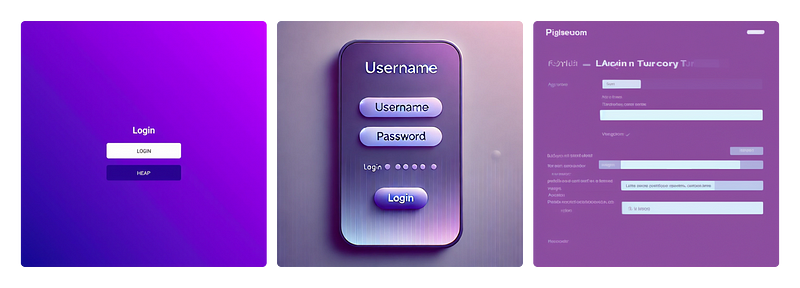
Above, you can see three examples of “Make a login form.” The last time I tried this exercise, the big issue was text. Now we actually have image models that can handle both images and text. The example Flux provided looks, in my eyes, like a UI mock-up made by a novice designer. But even if it looked like the best UI design ever, the output of a PNG wouldn’t be the most optimal way in a design-dev workflow. And as a designer, I lack the control I need to get the design to match a specific style.
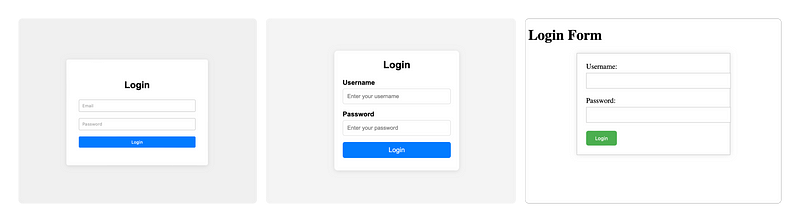
So, image models might not be the most interesting models for UI designers to explore. I personally have found text-based models to produce better results. Here, we get an output we could potentially hand off to a developer. Since the output is code, we can expect interactive states and responsive behavior.
But as you see in the examples, the output by default is very generic. I could prompt all design decisions — but wouldn’t it be cooler if the AI could just use the same foundation and design principles that I would as a designer?
Using AI with a design system
So how do you build a POC (proof of concept) of a design system that can support AI? Well, as a designer, I know you need to ask the user. So I asked my user, the AI, what format it would prefer the guidelines to be in. It chose .md — fine, so we got started.
I was lucky that Claude decided to launch projects the same week I was looking into doing this little exploration. This meant I didn’t have to set up anything locally or mess with APIs. I was able to do it all in the browser.

So for this example, I also used Claude to define all of my foundation and design principles. This way, the files were generated as artifacts and could easily be added to the project.
It was a bit of a hassle to generate the files this way. But afterwards, I got my first AI wow moment in a long time.
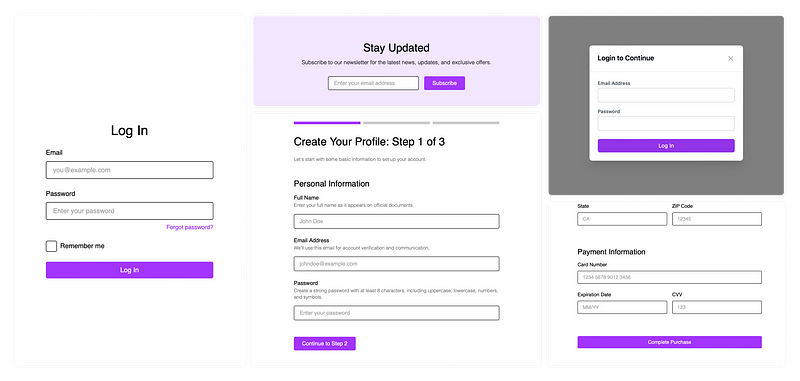
After defining the mini design system, I was able to generate forms in different contexts with a coherent look.
Why are these boring purple forms an AI wow moment?
- I could see in the code that Claude was using colors and spacings defined in the foundation files
- Claude used the design principles for forms
- Claude was able to generate checkboxes, radio buttons, and toggle switches following the same design principles as the button
Hope you’ve enjoyed this little article and feel inspired to do something with AI yourself.
—
The text was written by me, with AI-assisted proofreading by Claude Sonnet 3.5.